Home buying · for first-time home buyers between contract and keys

ClosingTrailHome closing countdown

ClosingTrail is a home closing countdown for first-time buyers in the United States who have a signed contract and a closing date somewhere 30 to 45 days ahead. You enter that one date and the app lays out a trail: appraisal, homeowners insurance, title review, loan approval, the Closing Disclosure check, the final walkthrough, and closing day itself, each with a deadline counted back from your date. Three business days before closing, when real estate wire fraud does the most damage, a safety card appears on the trail before anything else. Your schedule and notes stay on the phone.

  • Free
  • No ads
  • No account
  • Works offline
  • 45 languages
  • Home Screen widget
Get it onGoogle Play

Three moments

01

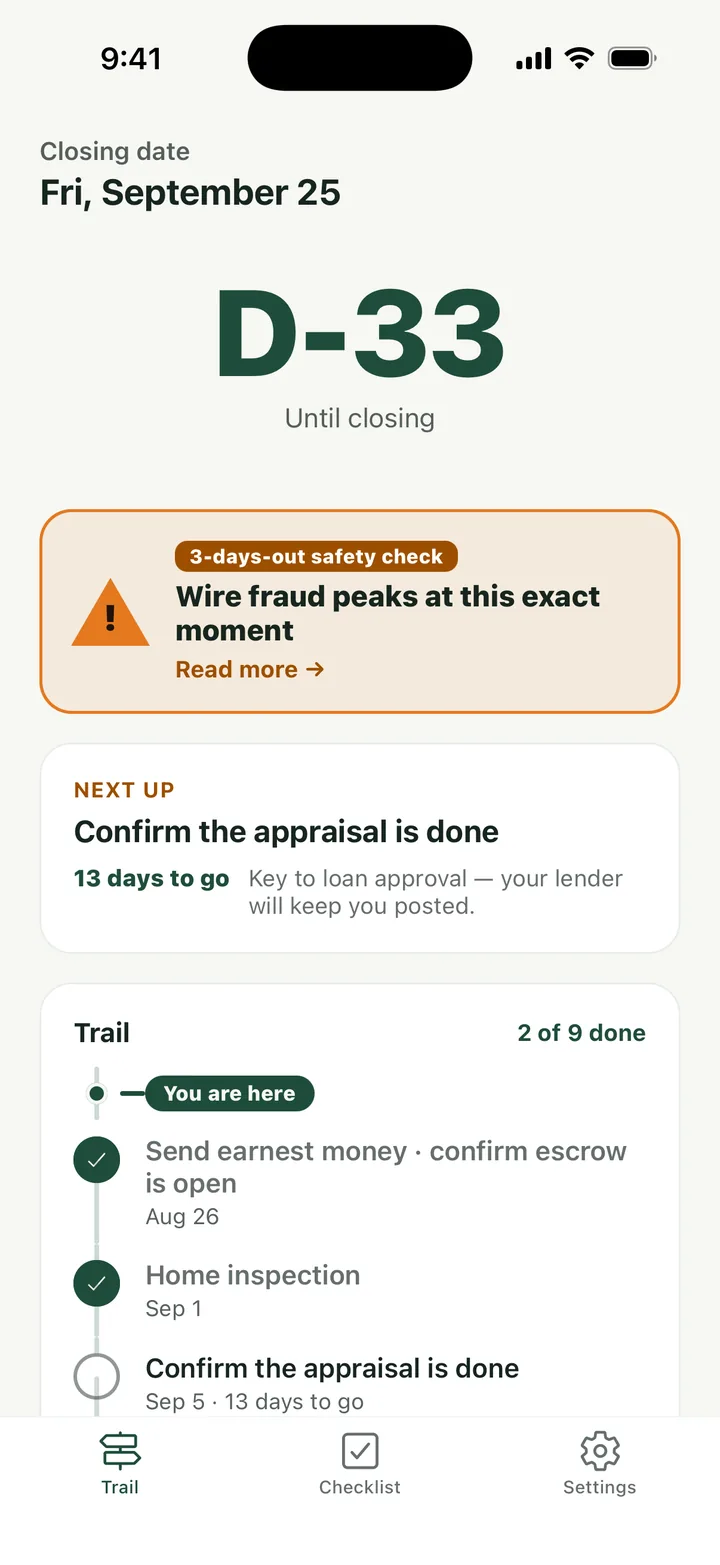
Enter one date, get the whole trail

The Trail tab starts with your closing date and a D-count. Below it runs the list of milestones in order, each with its own deadline, a line on why it matters for your loan or your keys, and room for a note. The step you are on is marked, and the next one is pulled up into a card so you do not have to scan the list.
02

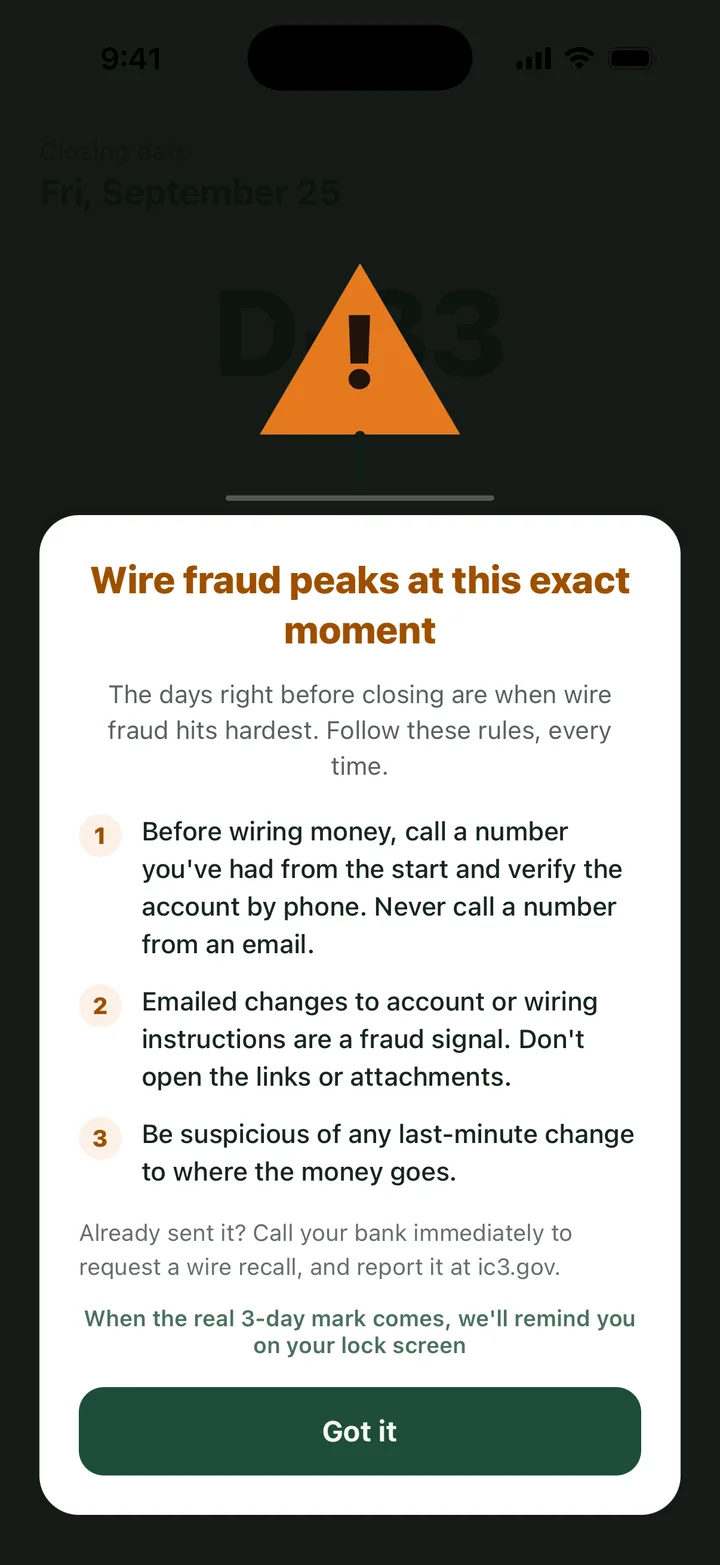
Three business days out, the wire card lands

When the calendar reaches three business days before closing, a safety card slides onto the trail ahead of every other item. It says the same three things each time: call your title company or lender on a number you already had and verify wiring instructions by phone, treat any emailed change of account as a fraud signal, and be suspicious of last-minute changes to where the money goes. The wording follows public consumer guidance from the CFPB and the FBI's IC3.

03

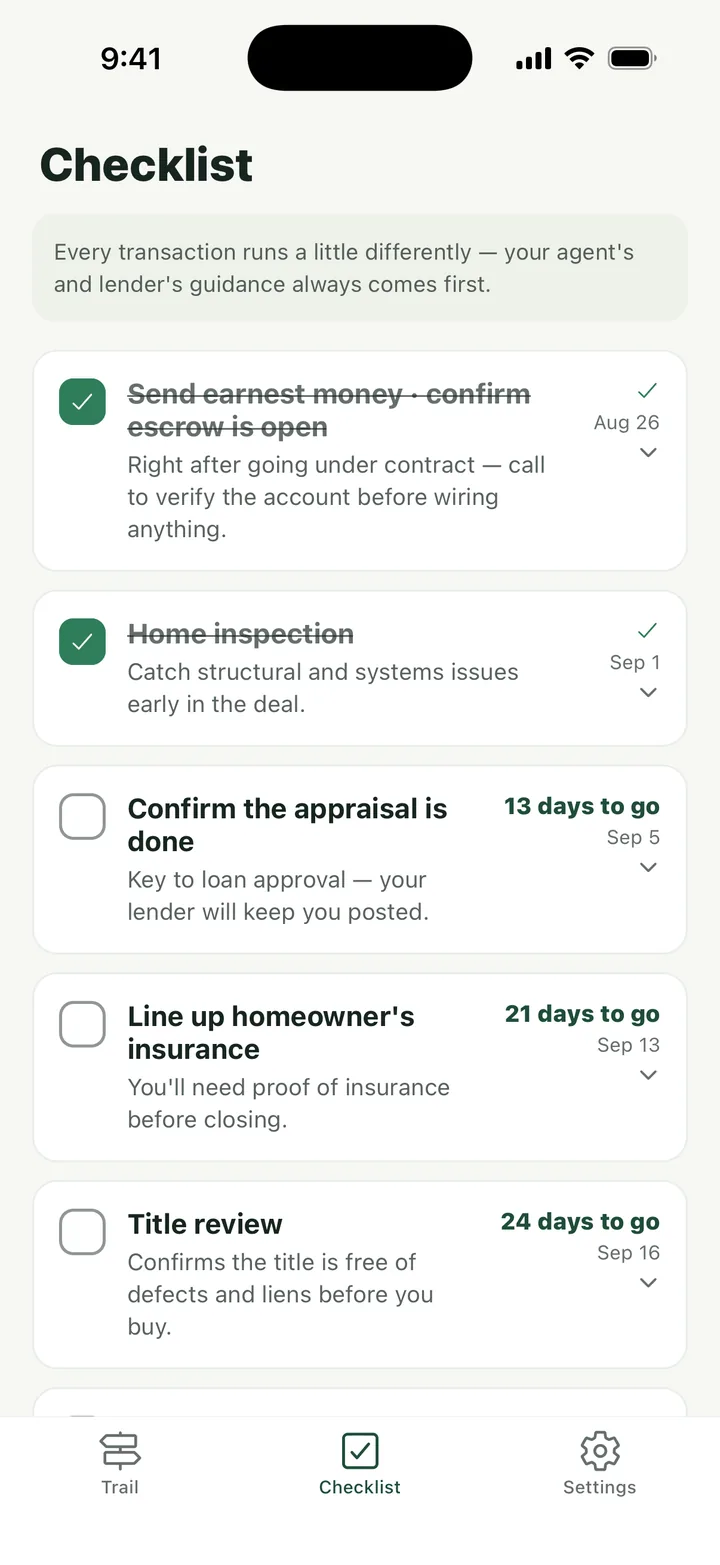
Tick the checklist as each piece lands

The Checklist tab holds the same milestones as boxes: earnest money and escrow, home inspection, appraisal, homeowners insurance, title review, and the rest. Each one shows how many days you have left. Checking a box updates the trail, and the walkthrough list inside it works with no signal, because the house you are walking through is usually empty.

Counted in business days, not calendar days

The three-business-day rule matters twice in a closing. Your lender must give you the Closing Disclosure at least three business days before you sign, and the same window is when fraudsters send fake wiring instructions, because they know the money is about to move. ClosingTrail counts those days the way the federal rule (Regulation Z) does, excluding Sundays and federal holidays, so the safety card and the disclosure review window land on the right day rather than three calendar days early. Enter the date the Closing Disclosure arrived and the app shows when its review period ends and how many business days remain until closing.

The Closing Disclosure comparison guide inside the app lists ten things to check against the Loan Estimate you received at the start: the spelling of your name, the property address, loan amount, interest rate, loan term and product type, estimated monthly payment, closing costs, cash to close, and whether a prepayment penalty or balloon payment has appeared that nobody told you about. It is a side-by-side reading list, not a calculator. You hold both documents and check them line by line.

What a closing looks like inside the app

  1. Set the date. On first launch you enter the closing date from your contract. The trail draws itself from that one date.
  2. Work the trail. Milestones are ordered from earnest money to keys. Each one opens to a short explanation and a notes field for the names and numbers your agent or lender gave you.
  3. Read the cards. The wire safety card appears three business days out. Enter the day your Closing Disclosure arrives and the review window is counted for you. Optional local reminders can nudge you before each deadline.
  4. Walk through and close. The final walkthrough checklist and a closing-day what-to-bring list are in the Checklist tab. After you get the keys, the app records the day and the trail is complete.

Nothing about your purchase leaves the phone

A closing schedule reveals when you are buying, how much you are borrowing, and which day your bank account will be at its emptiest. ClosingTrail makes zero network requests and has no account system, so there is nowhere for that information to go. It never asks for account or wire details and never stores them. The Home Screen widget shows only the days left and your next step.

Built for the United States

The milestone pack, the Closing Disclosure guide, and the wire safety wording are written for a US residential purchase with a mortgage. Cash buyers can still use the trail; the loan-related steps can be skipped. The completion process in other countries is different enough that the app does not pretend to cover it.

Frequently asked questions

Do I need to know my closing date to start?

Yes. The whole trail is counted back from that date. If it moves, change it in Settings and every deadline shifts with it.

Why does the wire safety card show up three business days early?

That is the window when the Closing Disclosure arrives and when fraudulent wiring instructions are typically sent. The card is timed to be in front of you before you send anything.

Does the app ask for my bank or wiring details?

No, never. It reminds you to verify instructions by phone with a number you already had. It has no field for account numbers.

Can I use it for a second home or a refinance?

The milestones assume a purchase with a mortgage. A refinance shares some steps but has no walkthrough or keys, so parts of the trail will not apply.

Is anything uploaded or synced?

No. There is no account, no server, and no analytics. Your dates and notes stay on the phone until you delete them in Settings.

Is it free?

Yes. There are no ads and no in-app purchases.

Get ClosingTrail

Pick the channel you use.

Get it onGoogle Play