Photography · for photographers who need a signed model release on set

ReleasePadModel release PDF, signed on set

ReleasePad is a model release app for photographers who would rather not carry a clipboard. Your own profile and signature are saved once, the shoot details are entered once per shoot, and on set the only input left is the model's: name, contact, date of birth, and a finger signature on your phone. When they sign, the release assembles into a single PDF with your signature attached. Presets built from the public contributor guidelines of Getty Images, Shutterstock, and Adobe Stock reshape the form so the fields each agency asks for are there. The release leaves the phone only when you share it yourself.

  • Free
  • No ads
  • No account
  • Works offline
  • 45 languages
  • Handoff Guard
Get it onGoogle Play

Three moments

01

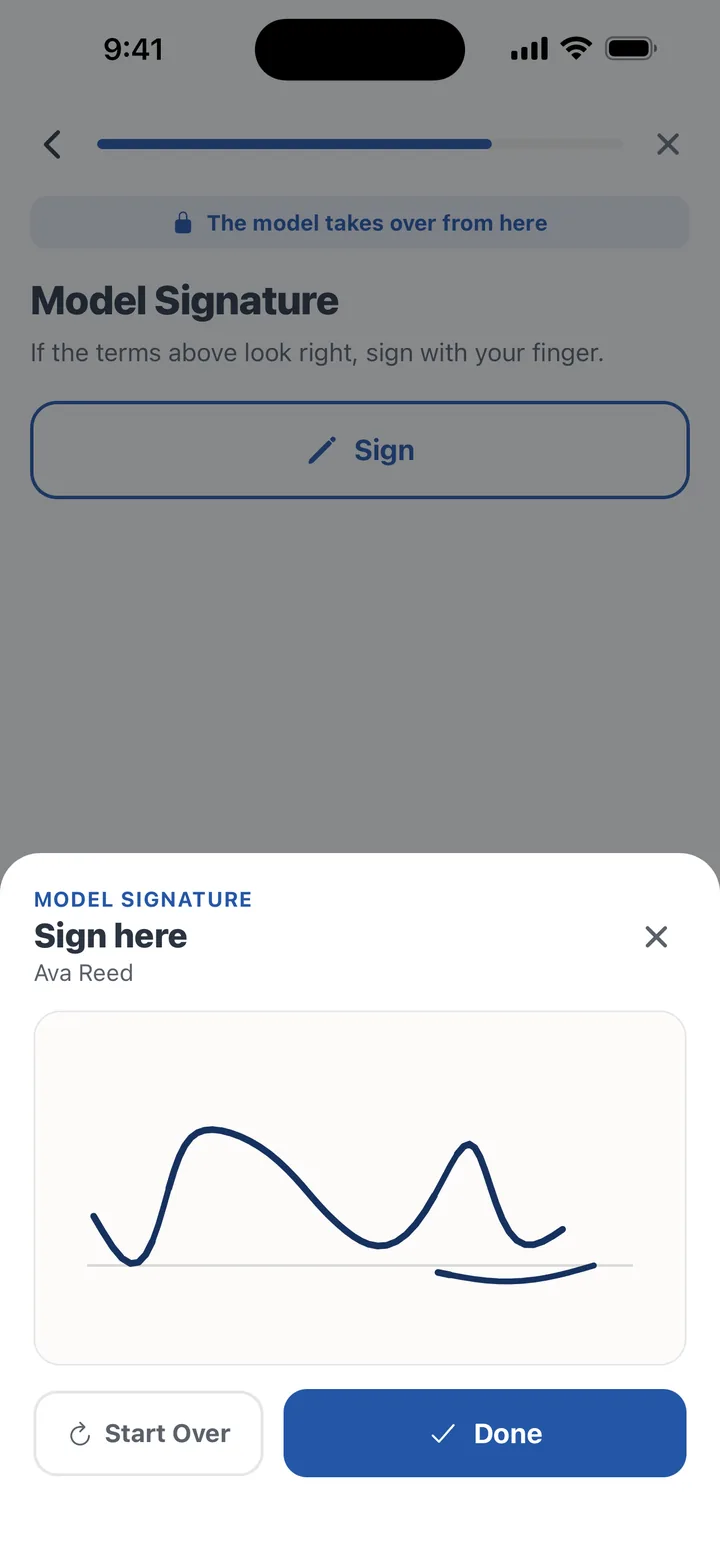
Signed on set in 30 seconds

The signing screen is a blank pad and the model's name. They sign with a finger, the stroke is captured with the signing time, and a tap confirms it. Because your photographer profile and signature are already saved and the shoot details were entered before the session, this is the only step that happens while the model holds the phone.
02

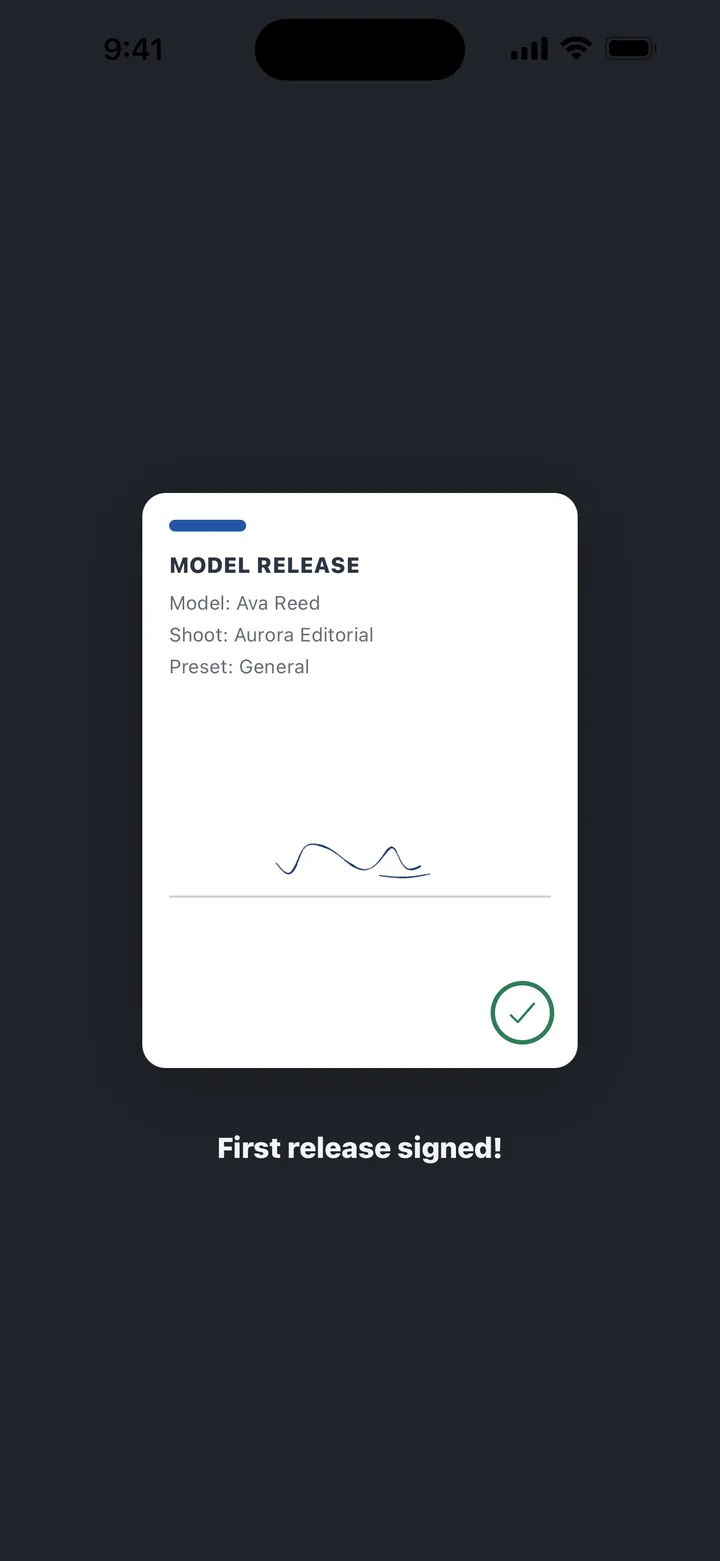
The signature lands, the release is done

The moment the signature is confirmed, the document snaps together: model details, shoot details, the preset's clauses and required fields, both signatures, and the timestamp. A completion screen shows the finished release card, and Share PDF is one tap away. There is nothing to assemble afterwards at a desk.

03

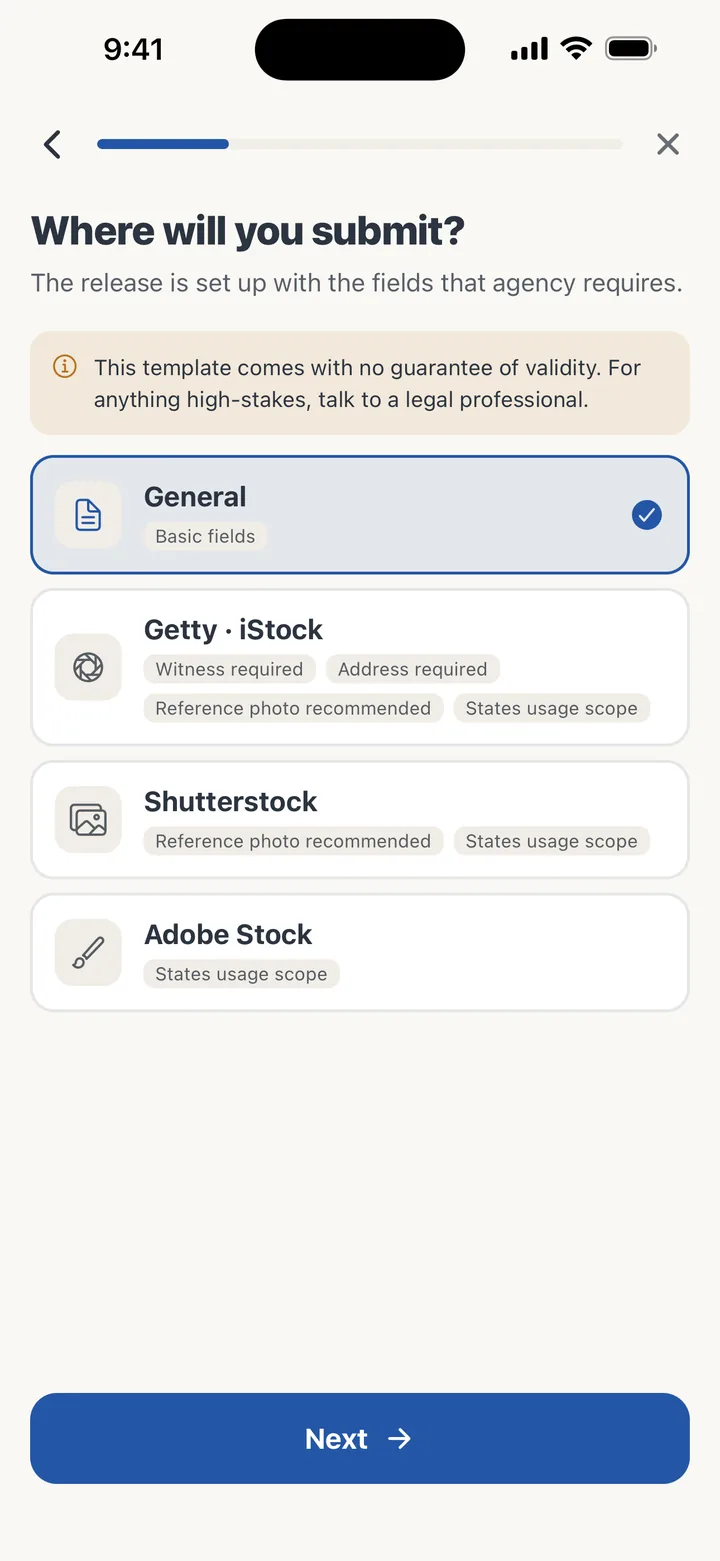
Presets for Getty, Shutterstock, Adobe

Getty, Shutterstock, and Adobe Stock each require different fields on a release. Choose a preset and the wizard changes to match that submission, including required fields and a witness step where the agency asks for one. A generic preset covers everyday portrait, event, and street work.

Handoff Guard while the phone is in someone else's hands

While the model holds your phone, the app stays on the release being created. Getting to anything else, such as earlier releases or other models' names and contact details, requires the photographer's own verification: biometrics or the device passcode. Verification happens entirely on the device. It means you can hand the phone over without wondering what else is one swipe away.

Minors, witnesses, and reference photos

If the model is a minor, guardian details and a guardian signature step are added automatically. If a preset requires a witness, a witness signature step appears. You can attach a reference photo of the model from the camera or the library, and the signing time is recorded on the document. All of this happens inside the same wizard, so a minor on a stock shoot with a witness is still one pass through the form.

Everything stays on this phone

A model's name, contact, birth date, and signature are personal data of the first order. ReleasePad has no server, no account, and no analytics, and makes no network requests. A release leaves the device only when you send it yourself through the share sheet: email, save to files, or print. Every feature works fully offline, whether the shoot is in a basement studio or on a mountainside.

Who it is for

For stock photography contributors, the presets keep agency requirements covered without a printed form per agency. For portrait, event, and street photographers, releases stop interrupting the shoot: no printing paper forms, chasing signatures, scanning, or filing. The app is free, with no ads and nothing to unlock.

Frequently asked questions

Does the model need to install anything?

No. You hand them your phone, they fill in their details and sign on the screen, and you take it back.

Which agency presets are included?

Getty Images, Shutterstock, and Adobe Stock, plus a generic release for general portrait and event work.

What happens if the model is under 18?

The wizard adds guardian details and a guardian signature step automatically.

Can the model see my other releases while they have the phone?

No. Handoff Guard keeps the app on the current release; leaving it requires your biometrics or device passcode.

Where are the releases stored?

On your phone only. They leave only when you share the PDF yourself by email, files, or print.

Is it free?

Yes. No ads, no purchases, no account.

Get ReleasePad

Pick the channel you use.

Get it onGoogle Play